




IBUK Libra – instrukcja

Aby pobrać kod dostępu należy zalogować się do katalogu INTEGRO. Pobranie kodu PIN w katalogu INTEGRO odbywa się w 2 miejscach:

Każdy Użytkownik może pobrać TYLKO 1 kod, który jest ważny przez 1 rok.

  1. Zakładka KONTO > IBUK Libra > Pobierz kod
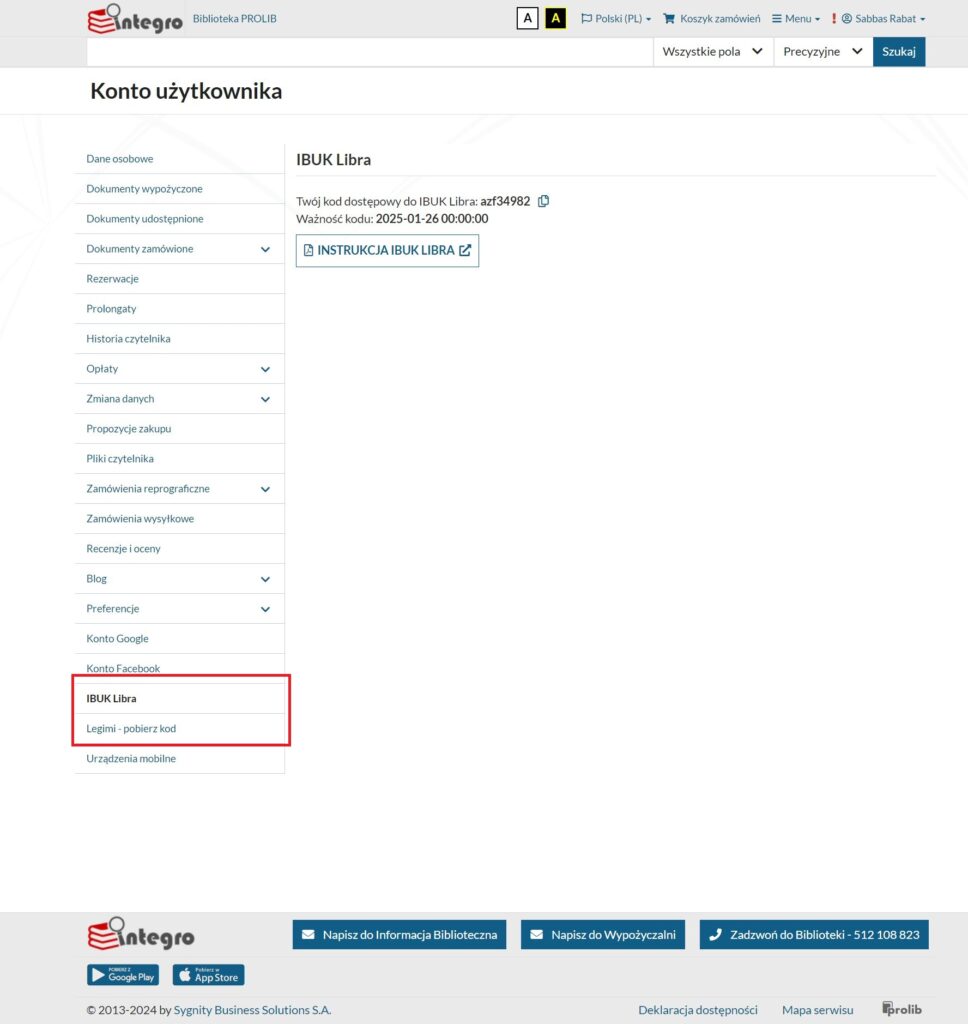
okno katalogu bibliotecznego

2. Po wyszukaniu pozycji w katalogu bibliotecznym -> Źródło danych (Zasoby cyfrowe) -> Dostawca treści (IBUK Libra) ->  Pobierz kod
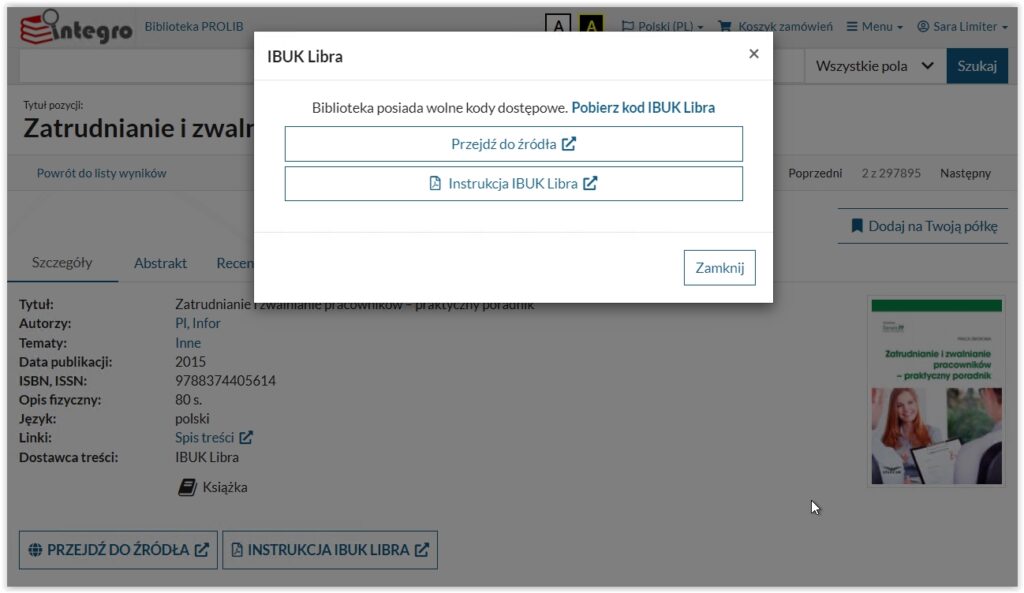
okno katalogu bibliotecznego

Dodawanie kodu PIN

Cookies and privacy policy

The website uses cookies for the purposes necessary for the proper operation of the site, customization of the site to individual user preferences and statistics. Disabling the storage of cookies is possible in the settings of each web browser, so that no information will be collected. If you do not agree to save information in cookies, you should leave the site.

Select the cookies you accept:
Return